
Written by: Anish Rao, Head of Growth, Listen Labs | Last updated: June 28, 2026
Key Takeaways for Fast UX Product Testing
- Traditional UX research cycles often stretch across several weeks, while AI-moderated interviews deliver verbal and emotional insights in under 24 hours.
- Fast UX product testing reduces risk by delivering actionable feedback while designs are still flexible and before decisions ship.
- Quality participant screening, real-time fraud detection, and behavioral matching keep results reliable even at large scale.
- AI-moderated interviews combined with emotional intelligence capture both what users say and what they feel, revealing hidden friction points.
- Listen Labs is the end-to-end platform that makes this full workflow possible. See how we compress multi-week cycles into under 24 hours.
Why Fast UX Product Testing Protects Velocity and Reduces Risk
Fast UX product testing keeps research tightly aligned with live product decisions. When prototype feedback arrives after a decision ships, it functions as a post-mortem instead of a design input. Teams then fall back on gut feel, A/B testing on live traffic, or deferred validation, each with measurable risk.
Short feedback loops also improve alignment. Without shared evidence, product, design, and engineering negotiate based on opinion instead of user behavior. Rapid usability testing and prototype validation solve both problems at once. Shorter cycles mean findings arrive while the design is still malleable. Larger sample sizes, made possible by AI moderation, replace the statistical fragility of 5–10 participant studies.
Qual-at-scale methods enable AI to schedule and conduct interviews, analyze transcripts for themes, and generate quantitative insights from qualitative data. These methods collapse the traditional trade-off between depth and scale and set up the step-by-step workflow that follows.
Step 1: Define One Critical Task and a Clear Success Metric
Every fast UX product testing study starts with a single, unambiguous research question. Broad objectives create diffuse findings that are hard to act on inside a sprint. The input at this stage is a one-sentence task statement, a measurable success metric such as task completion rate, time-on-task, or first-click accuracy, and explicit agreement from product, design, and engineering on which decision the study will inform.
The research funnel framework applies here. Teams start with the highest-risk assumption in the current prototype and work backward to the question that would confirm or invalidate that assumption. This backward approach naturally surfaces the one question that matters most to the current sprint decision. Securing stakeholder alignment on that question before work begins prevents scope creep during analysis and ensures the final deliverable maps directly to a product decision.
Step 2: Set Participant Criteria and Build Quality Guardrails
Participant quality is the single largest source of variance in rapid usability testing. Effective screeners use behavior-based questions such as frequency of tool usage or specific past actions instead of self-reported skill levels. These screeners combine quotas by segment with randomized answer options to reduce bias. They also include attention-check questions and red-herring response options to filter out low-effort or fraudulent participants.
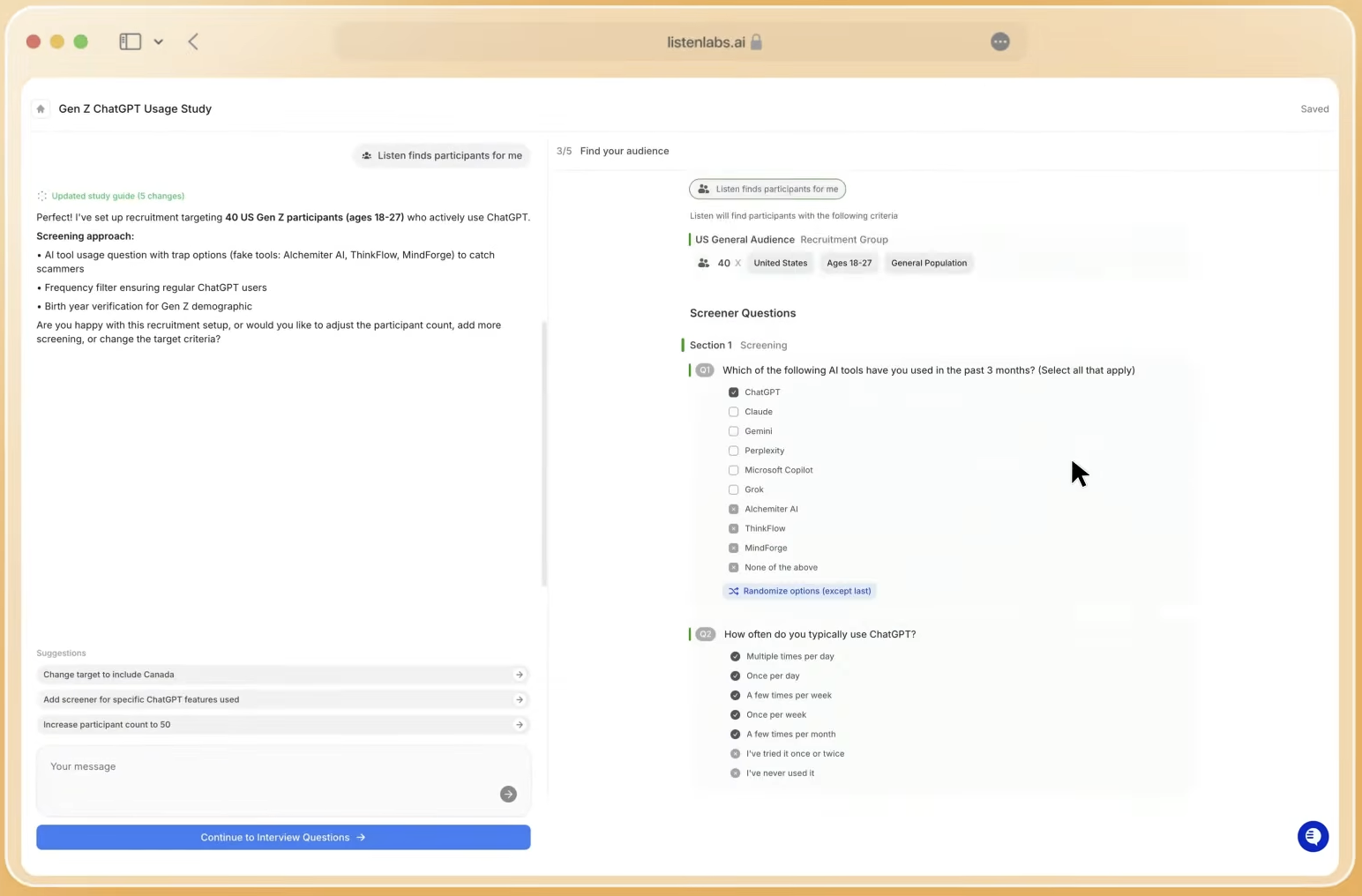
Sample size should match study intent. For qualitative remote usability testing, 5–8 participants often reveal most usability issues. Quantitative validation studies may require 20–50 or more participants to measure patterns reliably. Recruiting participants who closely match target users in goals, expectations, and experience levels produces more meaningful results than larger groups that do not reflect the real audience.
Listen Labs enforces quality at three layers. Listen Atlas matches participants using behavioral and intent data across a 30M-person verified panel. Quality Guard monitors every interview in real time for fraud, low-effort responses, and mismatched profiles. Participants are capped at three studies per month, which removes professional survey-taker bias.
Step 3: Match Your Research Goal to the Right Test Type
Once you have a focused research question and strong participant controls, the next choice is test format. Test type selection sets the balance between depth and scale. A 5-second test measures immediate visual hierarchy and first impressions at high volume with minimal participant burden. This format suits landing pages, hero screens, and value proposition clarity. First-click testing isolates navigation assumptions and information architecture decisions without requiring a fully interactive prototype.
Prototype flow testing captures task completion behavior, hesitation points, and navigation errors across a full user journey. It delivers the richest data but needs a higher-fidelity prototype and longer session time. A/B preference testing compares two design directions on a specific dimension such as layout or copy. It works best when the team has already narrowed to two viable options and needs directional evidence instead of exploratory insight.
Listen Labs supports all four formats within a single study. The platform includes screen sharing and mobile screen recording on iOS, so teams can combine task-based flows with quantitative preference questions in one session.
Step 4: Run AI-Moderated Interviews That Adjust in Real Time
AI-moderated UX testing delivers adaptive conversations at scale while keeping methodological rigor. The AI probes deeper on short or ambiguous answers and follows up on unexpected responses. It also maintains consistent question framing across hundreds of simultaneous sessions, which removes the moderator variability that affects human-led studies.
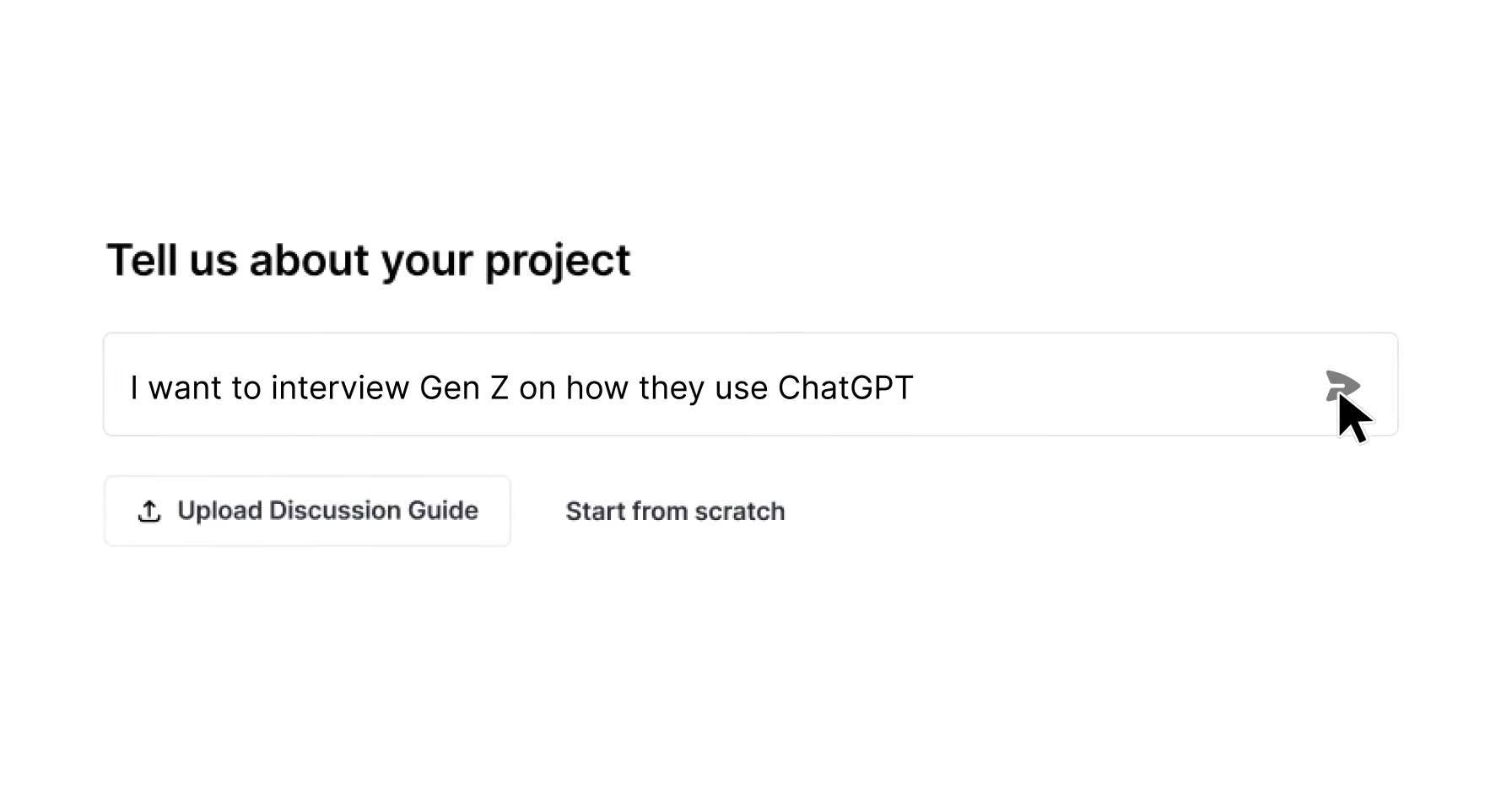
Platforms like Listen Labs add auto-recruiting, transcription, sentiment tagging, and insight summarization. Teams move from question to findings in hours, not weeks. Qual-at-scale works well when research needs large sample sizes or broad geographic reach. AI tools then engage hundreds or thousands of participants remotely and asynchronously. The result is statistical confidence at a scale that traditional moderation cannot reach inside a sprint window.
Ready to run AI-moderated prototype testing at scale? Watch the full workflow in action.
Step 5: Add Emotional Signals to What Users Say
Fast UX product testing becomes more reliable when it combines verbal and emotional data. Verbal responses capture what participants choose to articulate. Emotional signals capture what they experience but do not say. A participant who describes a checkout flow as “fine” while showing micro-expressions of confusion is sending two different signals. Acting only on the verbal response produces an incomplete picture.
Listen Labs Emotional Intelligence analyzes three layers of signal: tone of voice, word choice, and subconscious micro expressions, surfacing nuanced emotions that transcripts alone miss. The system relies on Ekman’s universal emotions framework, the standard used in clinical psychology and UX research, tracking anger, anticipation, disgust, fear, joy, sadness, trust, and surprise. Every emotion is quantified per question and concept, with each label traceable to the exact timestamp, verbatim quote, and AI reasoning behind it.
In usability testing, this capability catches moments of hesitation and frustration that participants do not verbalize. It pinpoints friction in a prototype flow with timestamp-level precision. The feature works across 50+ languages and connects directly with the Research Agent for natural-language queries and highlight reel generation.
Step 6: Turn Raw Sessions into Prioritized, Video-Backed Recommendations
Analysis usually creates the bottleneck in qualitative UX research. Human analysts who review hours of session recordings introduce both time delay and confirmation bias. With AI-moderated interviews, talking to users at scale becomes straightforward, and the challenge shifts to understanding what they mean. Research Agent handles the full analysis workflow from raw data to final output.
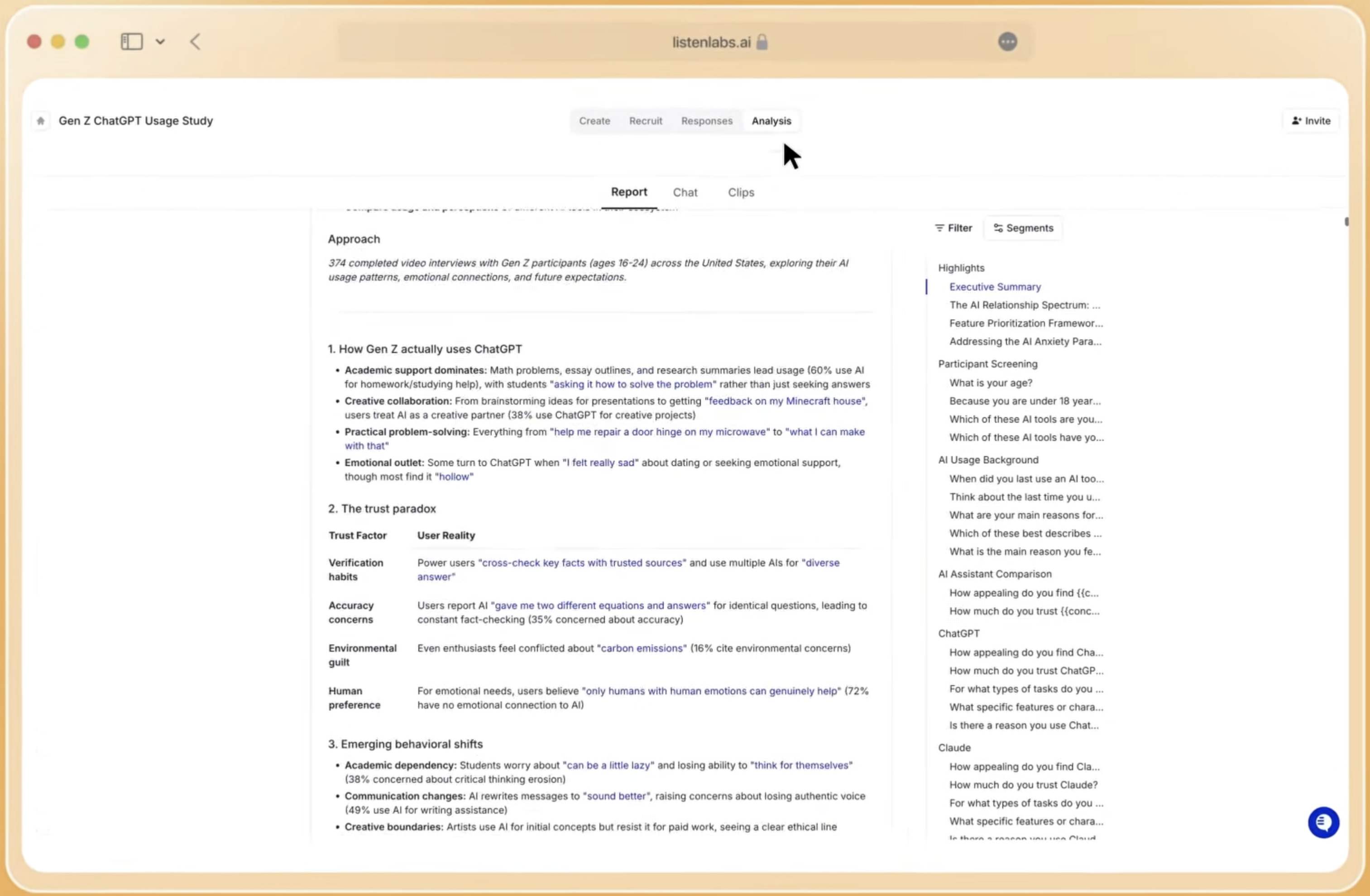
The Research Agent generates automated key findings, theme clusters, and persona breakdowns from interview data. Teams can query findings in natural language and run segment comparisons with statistical significance testing. They can also produce branded slide decks, memo-style reports, and video highlight reels in under a minute. Every insight links directly to the underlying response data, giving stakeholders a traceable evidence chain from recommendation to raw participant quote.
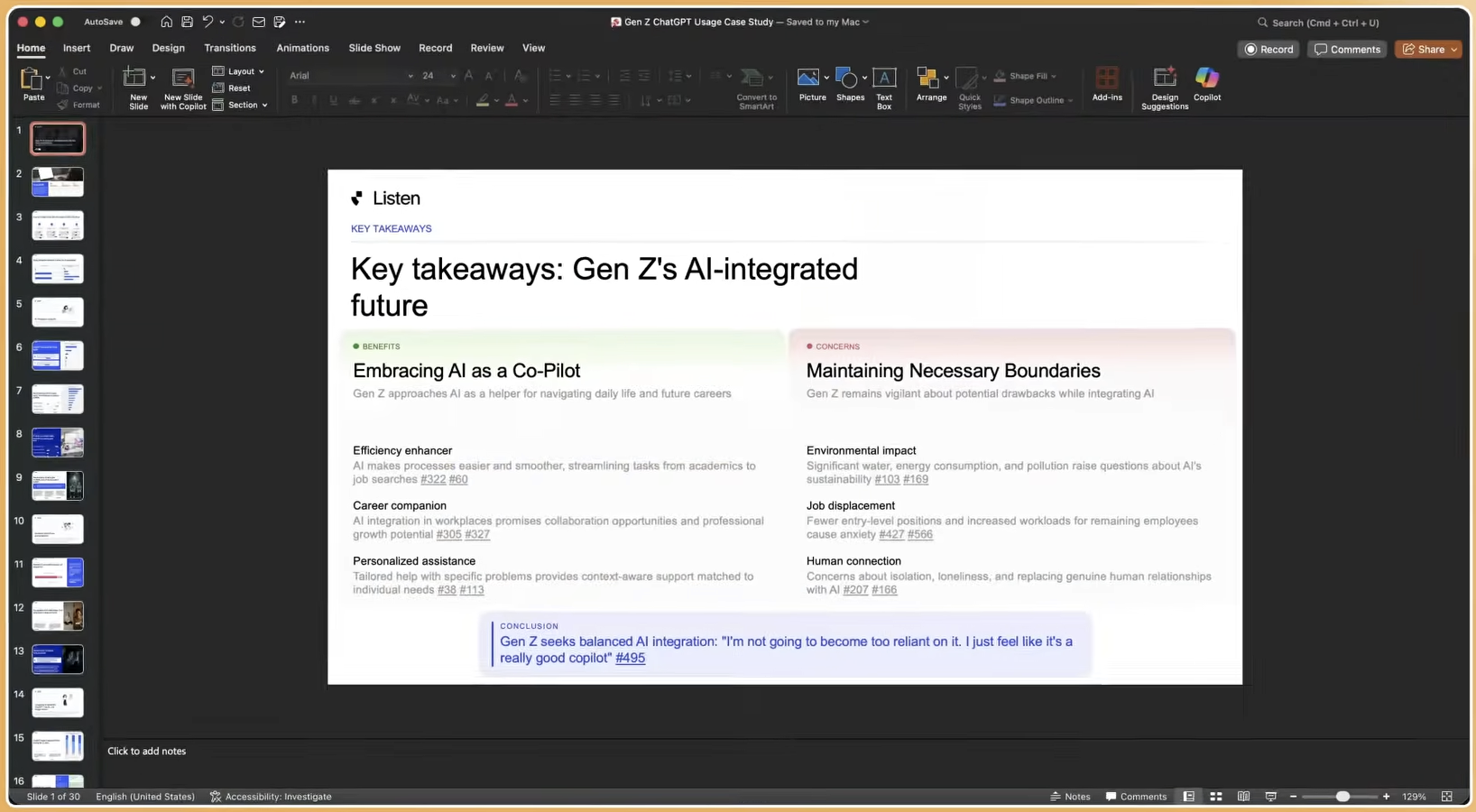
Prioritization at this stage uses an insight-to-action matrix. Findings are ranked by frequency, emotional intensity, and task impact. This three-part scoring separates critical friction points from minor enhancement opportunities and produces a short list of must-fix items plus a longer backlog. Each recommendation includes video evidence, which gives stakeholders the context they need to understand both the ranking and the user experience behind it.
Common Pitfalls in Fast UX Testing and How to Prevent Them
Clear objectives keep fast UX testing focused. Studies launched without a single agreed-upon research question generate findings that stakeholders interpret in different ways. That confusion slows the very decision the study was meant to accelerate. A written one-sentence objective, approved by all stakeholders before recruitment, prevents this problem.
Participant quality issues can quietly distort results. Feedback from participants unfamiliar with the product category can create misleading conclusions because they struggle for reasons real customers would not. UX research teams should track participation history across studies and exclude repeat participants from sensitive or follow-up research. This practice prevents response contamination and professional test-taker bias. Listen Labs Quality Guard applies these protections automatically.
Analysis bottlenecks appear when teams collect rich data but cannot process it before the sprint closes. Automated deliverable generation through the Research Agent removes this delay. Stakeholder misalignment after findings arrive decreases when every report includes video clips and emotional data. Non-researchers then see participant evidence directly instead of relying only on filtered summaries.
Schedule a walkthrough to see how Listen Labs manages participant quality, analysis automation, and stakeholder-ready deliverables in a single platform.
How to Measure Success in Fast UX Product Testing Programs
Study cycle time is the primary operational metric. It measures the elapsed time from study launch to stakeholder-ready deliverable. A well-configured Listen Labs study consistently delivers within 24 hours. Task completion rate and time-on-task measure prototype usability directly. Consistency of findings across participant segments shows whether the prototype has a universal usability issue or a segment-specific one.
Downstream product impact provides the ultimate signal. Teams track whether findings changed a design decision, prevented a launch error, or accelerated stakeholder alignment. Organizations running continuous testing programs compare the rate of post-launch usability issues before and after adopting rapid testing workflows.
Scaling Fast UX Product Testing Across Teams and Markets
Always-on testing programs replace the project-by-project model with a continuous feedback loop. Teams run lightweight prototype checks at each sprint boundary. This approach requires standardized study templates, pre-approved participant panels, and automated reporting pipelines. Listen Labs supports this model through Mission Control and cloneable study designs.
Global multi-market studies introduce localization needs. Listen Labs supports 100+ languages for interview moderation with automatic translation and transcription. This capability enables simultaneous prototype validation across markets without separate vendor relationships. Advanced segmentation lets teams compare findings by region, device type, user tenure, or behavioral cohort within a single study.
Behavioral and emotional data integration represents the frontier of prototype validation. Teams combine task completion metrics with timestamp-level emotional data to build a composite picture of where a prototype succeeds and where it creates friction. This combined view reaches a level of granularity that neither metric provides alone.
Frequently Asked Questions
How long does fast UX product testing actually take?
A complete study on Listen Labs, from launching recruitment to receiving a stakeholder-ready deliverable, consistently completes in under 24 hours. This window includes participant recruitment from the 30M-person verified panel, AI-moderated interview sessions, automated analysis, and generation of slide decks, reports, and video highlight reels. This speed reflects a fundamental compression of the traditional research timeline, achieved by removing manual scheduling, human moderation queues, and analyst review cycles.
What participant quality controls are needed for reliable results?
Reliable fast UX product testing depends on behavioral screening instead of self-reported demographics, real-time fraud detection during sessions, and limits on how often any participant appears across studies. Listen Labs enforces all three. Listen Atlas matches participants on behavioral and intent data. Quality Guard monitors every interview for fraud and low-effort responses. A hard cap of three studies per month per participant prevents overuse. Teams that bring their own participants can apply the same quality controls to their internal user base.
How do AI-moderated interviews compare to traditional moderation?
AI-moderated interviews keep question framing consistent across every session and probe deeper on short or unexpected answers in real time. They also run hundreds of sessions simultaneously without scheduling constraints. Traditional human moderation introduces variability between moderators and is limited by the number of sessions a single researcher can conduct. It rarely scales beyond a small sample within a sprint window. Listen Labs AI maintains the rigor of an experienced in-house research team while delivering results at a scale and speed that human moderation cannot match.
Can fast UX product testing handle niche audiences?
Fast UX product testing on Listen Labs supports highly specific audiences. The dedicated recruitment operations team sources participants below 1% incidence rate, including enterprise decision-makers, healthcare workers, engineers, and specialized consumer segments. The Listen Atlas panel spans 45+ countries and 100+ languages, which enables niche audience recruitment across global markets without separate vendor relationships. Organizations with existing user bases can also use self-recruitment at reduced cost.
How does emotional intelligence improve prototype validation?
Emotional intelligence adds the missing layer to prototype validation. Prototype evaluation based only on verbal responses misses unspoken reactions. A participant who rates a flow positively while showing confusion signals a usability problem that self-report alone would not reveal. The platform’s emotional analysis, described in Step 5, captures these signals by quantifying emotions per question and concept. Every label is traceable to a specific timestamp and verbatim quote. In usability testing, this detail pinpoints moments of hesitation and frustration that participants do not articulate and gives design teams precise evidence for where a prototype creates friction and where it generates genuine engagement.